 Link Opener
Open a list of links in one click.
Link Opener opens every URL you paste, and pulls every link out of the page you are on. Filter by domain, keyword or regex, then copy or save as CSV. No account, no server.
Coming soon to Edge Add-onsHow to use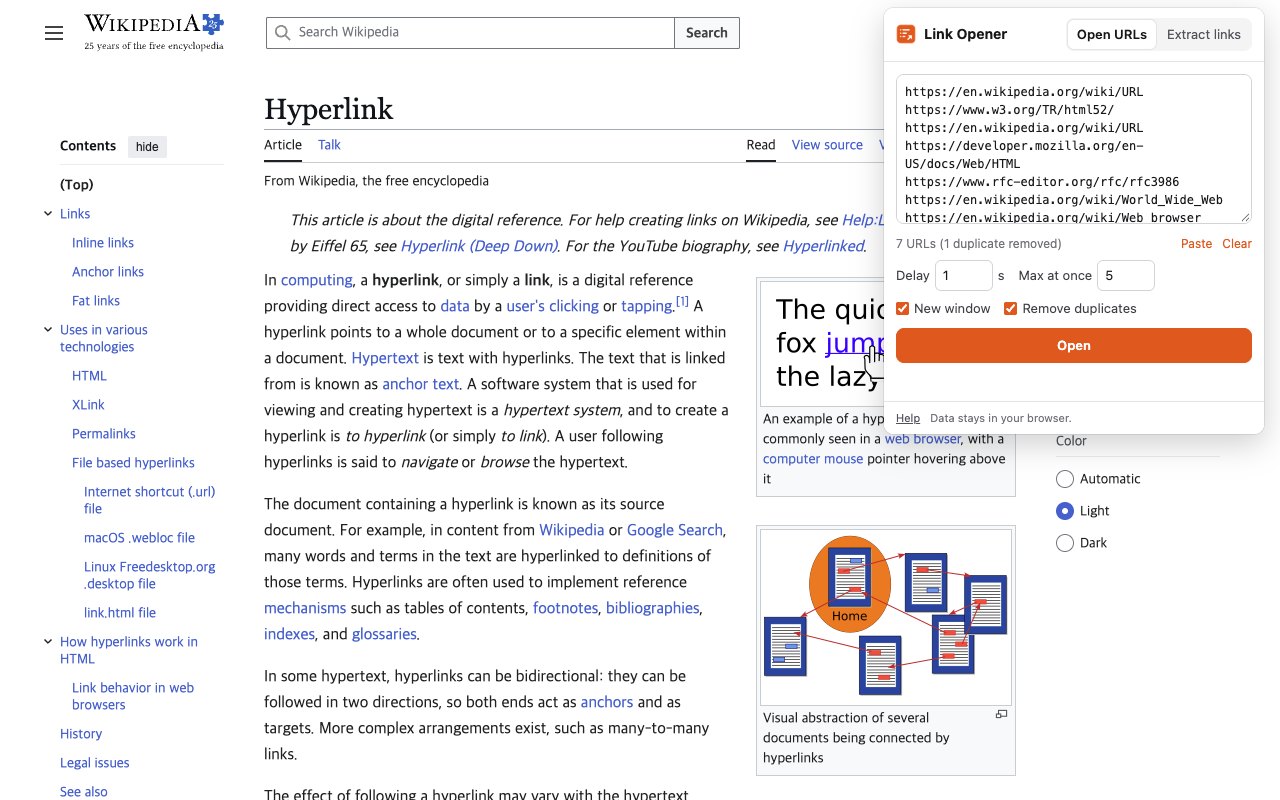
What it does
Paste URLs one per line, or text with links mixed in. Addresses without https:// work too.
Wait a few seconds between tabs and open only N at a time. The rest stays in the box for the next click.
Open the list in a fresh window and skip repeated URLs automatically.
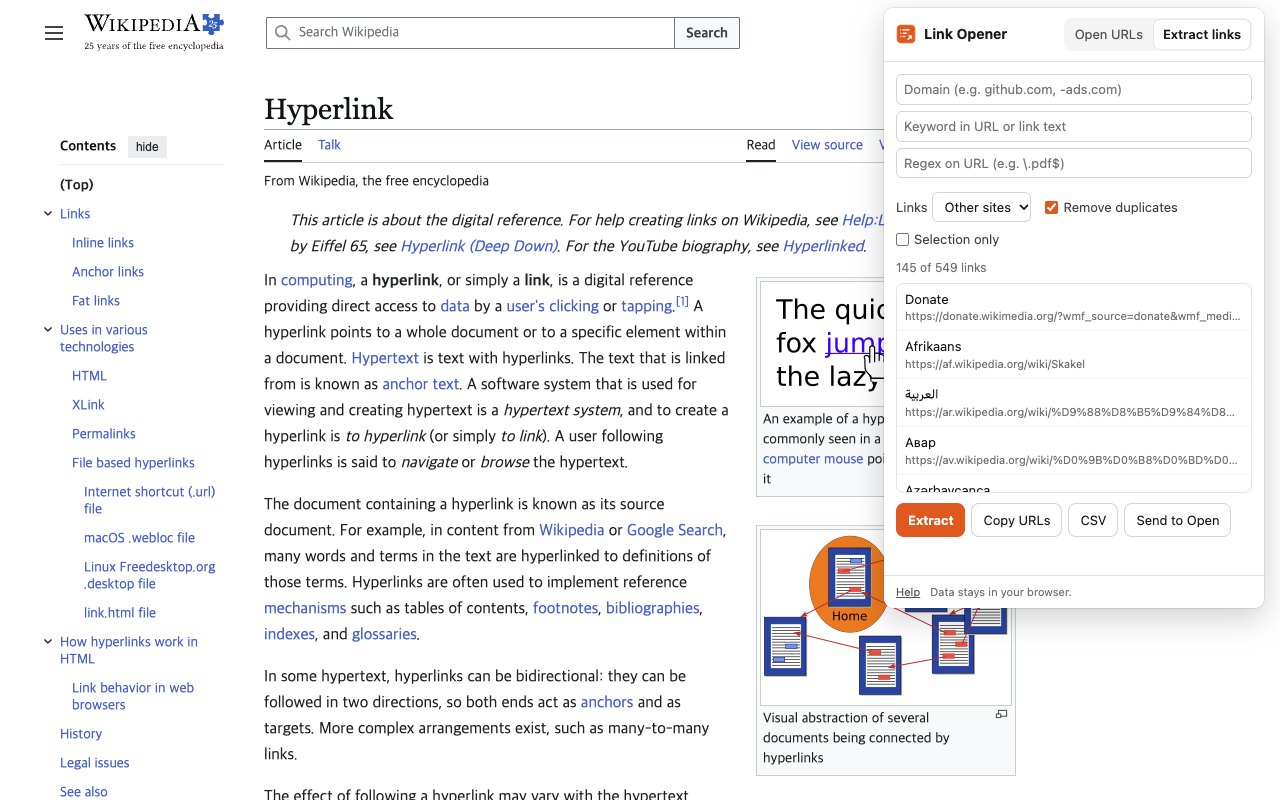
Read every link on the current page, or only the links inside the text you selected.
Keep or drop domains (github.com, -ads.com), match a keyword, use a simple regex, show this site or other sites only.
Copy the URLs, save URL, link text and domain as CSV, or send them straight to the opener.
Private by design
Link Opener reads a page only when you press Extract in its popup, and only that tab. Your list and settings are saved in your browser. The extension makes no network requests of its own and has no analytics.